
Tenant portal
How to use the portal
A short guide to reporting and following repairs online. Watch the video, or read the steps below.
Step by step
-
Set up your account
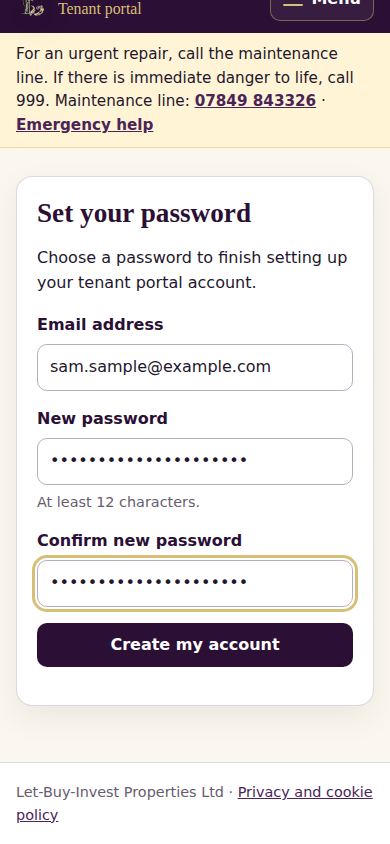
Open the link in the invitation email we send you, check your email address, choose a password of at least 12 characters and select “Create my account”. The link works once. If it has expired, ask us for a new one.
-
Sign in
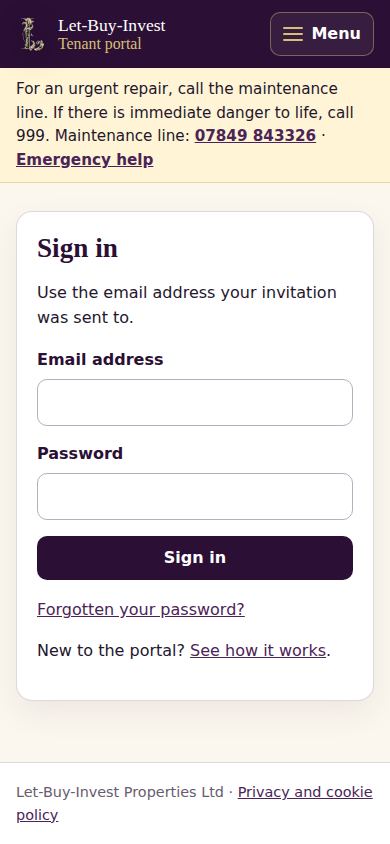
Go to the tenant portal and sign in with your email address and password. If you forget your password, choose “Forgotten your password?” and we will email you a link to choose a new one.
-
Your portal home
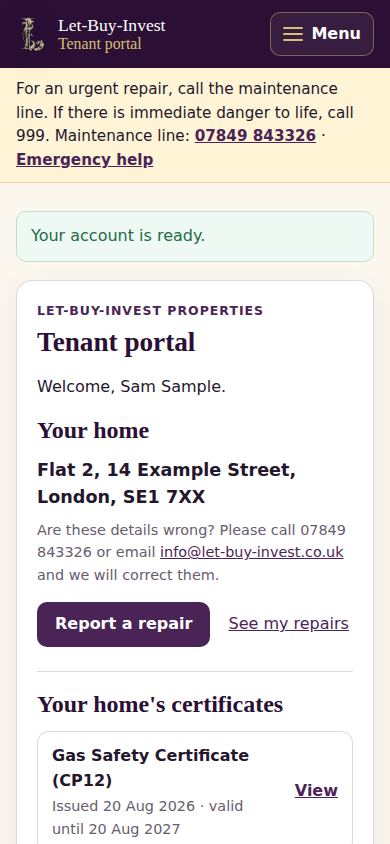
Your home page shows your address, the “Report a repair” button, a link to your repairs and your home’s certificates. Use the menu (☰ Menu on a phone) to move around, and “Home” to come back here.
-
Report a repair
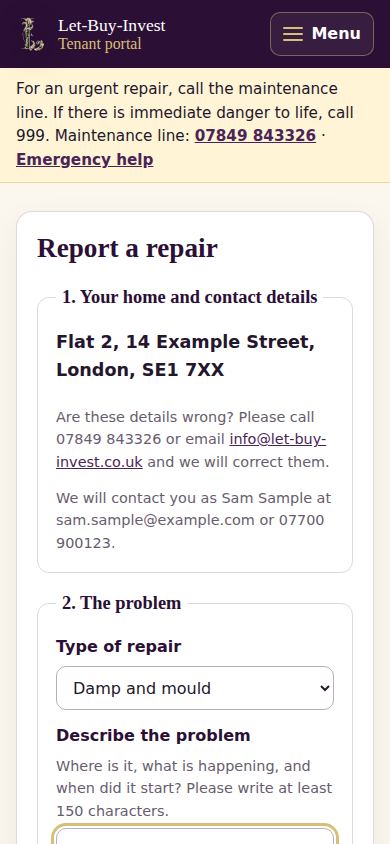
Choose the type of repair, describe the problem in your own words (at least 150 characters: what, where and since when), add at least one photo, answer the two questions, and tell us which weekdays and times we can visit. Check your report, then select “Send report”. You get a reference number straight away.
-
Follow your repair
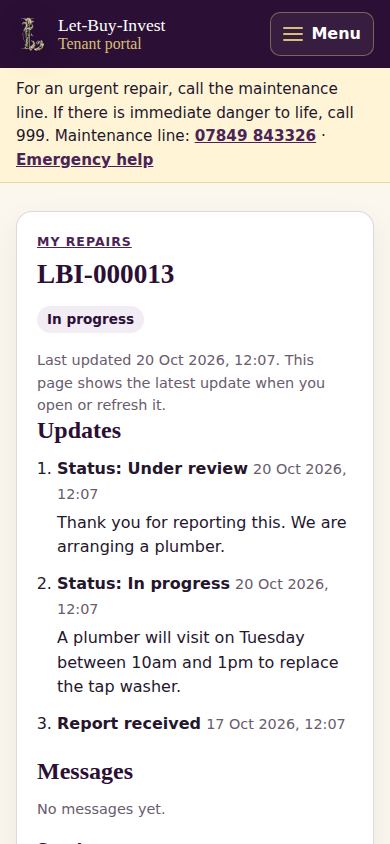
Under “My repairs” you can see each repair’s status and every update from us. Open a repair to read our messages and reply, with photos if you like. We email you when there is an update.
-
If it is not fixed
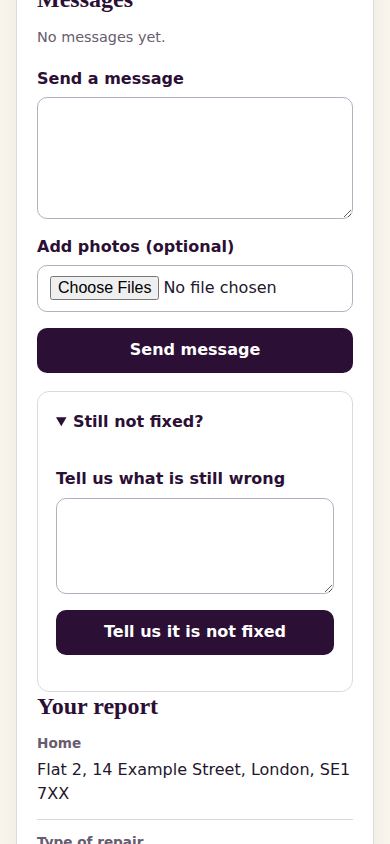
When we mark a repair as done but the problem is still there, open it and choose “Still not fixed?”. Tell us what is still wrong and we will look at it again.
-
My details
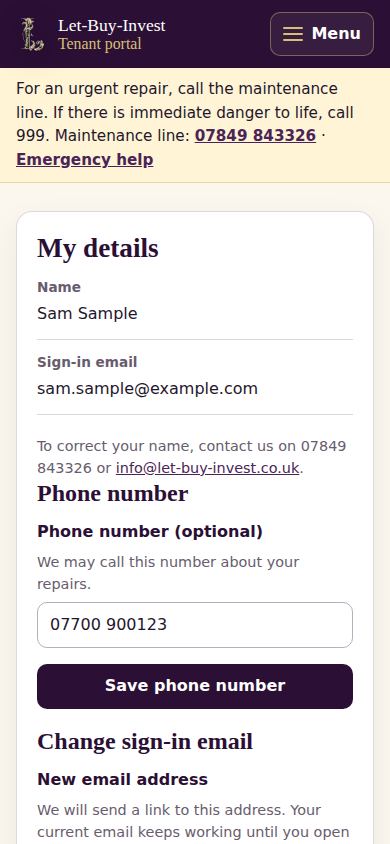
Under “My details” you can update your phone number, change the email you sign in with (we send a confirmation link to the new address) and change your password.
-
Emergencies
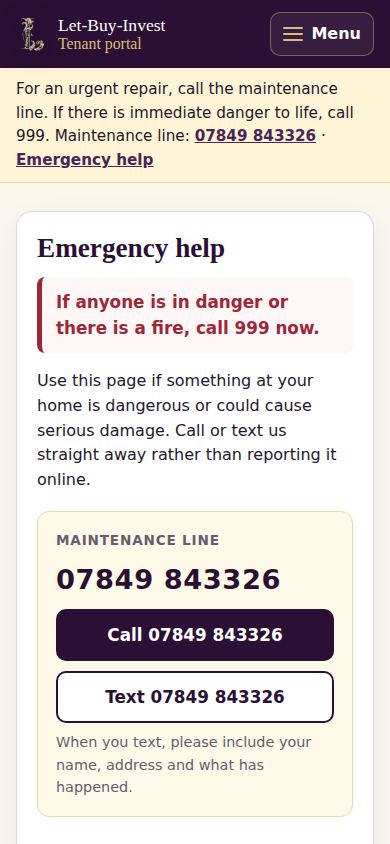
If anyone is in danger or there is a fire, call 999 first. For an urgent repair, call the maintenance line. The “Emergency” page in the menu lists what to do first, for example if you smell gas or water is coming through the ceiling.
Need help?
Email info@let-buy-invest.co.uk. For an urgent repair, call the maintenance line on 07849 843326.